

CVE-2026-123158 (SSHole): The OpenSSH Login Bypass on Alpine Linux and How to Patch It

On 5 November 2026, OpenSSH shipped emergency release 10.6p2 to close a flaw nicknamed SSHole. It lets anyone who can reach your SSH port log in to an account that has no password at all — no credentials needed, just a password deliberately made too long. It scores 8.1 (High) as CVE-2026-123158, and threat intelligence firm Previdian reported the first exploitation attempt less than nine hours after disclosure, with root access confirmed on one of its Alpine honeypots.
The good news: the scope is narrow and easy to check. The flaw only exists on Linux systems using musl libc without PAM — in practice, Alpine Linux, because its default openssh-server package is built without PAM. Debian, Ubuntu, Fedora, RHEL and their derivatives are not affected, because they use glibc, and neither is any system that checks passwords through PAM. This guide shows how to confirm whether your server is in scope, patch it, and verify the fix — including Docker containers, which patches routinely miss.
Update, 12 November 2026: CISA added CVE-2026-123158 to its Known Exploited Vulnerabilities (KEV) catalog on 9 November 2026, with a mitigation deadline of 12 November 2026 for US federal agencies. In other words, this is no longer a theoretical flaw — CISA considers it real enough to mandate handling. If you run sshd on Alpine Linux or another musl system without PAM and have not updated to OpenSSH 10.6p2 yet, now is the time.
Why this flaw exists
Three reasonable decisions, combined, produced the hole. First, locked accounts on Linux usually carry a single asterisk (*) as their password field in /etc/shadow — meaning the account cannot log in with a password. Second, without PAM, sshd checks passwords itself by calling musl libc's crypt() function. Third, when the submitted password is too long — between 257 and 1,024 bytes — musl's crypt() returns an error value, and that error value happens to match the stored * field. Result: sshd treats the password as correct.
The fix in OpenSSH 10.6p2 is equally simple: sshd now refuses a match whenever the stored password field is shorter than four characters, so a lone asterisk can never pass again. Alpine's advisory adds one more condition: besides the server running openssh-server without PAM (or openssh-server-pam with UsePAM no) and PasswordAuthentication enabled, there must be an account with a * field and at least one other account with a $5$ or $6$ hash. If any single condition fails, the flaw cannot be used.
Prerequisites
- SSH access to the server with
rootorsudorights. - Knowing which Linux distribution the server runs — the commands below use Alpine as the main example, with notes for Debian/Ubuntu.
- If your server is a container, access to its Docker host.
Step 1: check whether you are affected
Start with the distribution. On the server, run:
cat /etc/os-releaseIf the result is not Alpine (or OpenWrt, Buildroot, Yocto — other musl-based systems), you are almost certainly safe. To confirm which C library is in use:
ldd --versionOn Alpine, this prints a musl version. On Debian/Ubuntu, it prints glibc — and glibc is not affected, because on a crypt() failure it returns a value that can never equal *.
If the server is Alpine, check the installed OpenSSH package:
apk info opensshNote this: do not judge by the sshd -V version string. On a fresh alpine:3.22 image, sshd -V prints OpenSSH_10.0p2 — below 10.6p2 — yet the 10.0_p1-r11 package for that branch already contains the fix, because Alpine backports the patch to older releases. The package number is what matters, not the OpenSSH version number.
Next, check the two things that decide whether the flaw is usable on your server. First, whether password authentication is on and PAM is off:
sshd -T 2>/dev/null | grep -i -E 'passwordauthentication|usepam'The dangerous result: passwordauthentication yes and usepam no. Second, whether any account has a * password field:
grep -E '^[^:]+:\*:' /etc/shadowEvery line printed is an account that could be targeted — usually system or service accounts deliberately locked out of password login. Ironically, the accounts that are "locked" are exactly the ones this flaw can open.
If you run Debian/Ubuntu, one line is enough: sshd -T | grep -i passwordauthentication may say yes, because glibc makes this flaw inapplicable. There is no emergency patch to chase there.
Step 2: emergency mitigation if you cannot update yet
If your Alpine server is affected and an update cannot happen right now, turn off password authentication. This is the OpenSSH announcement's direct advice: if you run Linux with musl and no PAM, stop reading and set PasswordAuthentication=no or disable SSH immediately.
Open the sshd configuration:
sudo nano /etc/ssh/sshd_configMake sure this line exists and is not commented out with #:
PasswordAuthentication noThen restart sshd. On Alpine (OpenRC):
sudo rc-service sshd restartOn systemd systems:
sudo systemctl restart sshdAfter this, login is only possible with an SSH key. Confirm you still have key access before closing your current session — open a second terminal and try logging in with your key first. This mitigation is not a substitute for the patch: do step 3 as soon as you can, because a leaked key is still a risk as always.
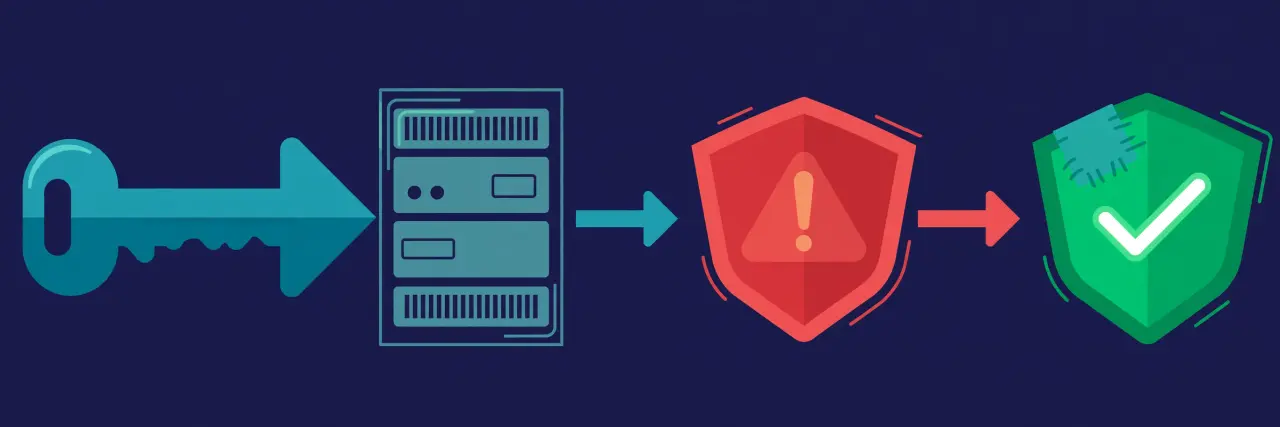
Step 3: patch with the fixed package
On Alpine, update the OpenSSH package:
sudo apk update
sudo apk upgrade openssh
Or update everything at once:
sudo apk upgrade -U -aAlpine released fixed packages for every supported branch on the same day, 5 November 2026, including older branches back to 3.16:
| Alpine branch | Fixed OpenSSH package |
|---|---|
| edge | 10.6_p2-r0 |
| 3.24 | 10.3_p1-r2 |
| 3.23 | 10.2_p1-r1 |
| 3.22 | 10.0_p1-r11 |
| 3.21 | 9.9_p2-r1 |
After the upgrade finishes, restart sshd. Upgrading the package does not replace the running daemon, so the server stays vulnerable until you restart it:
sudo rc-service sshd restartOn systemd systems, use sudo systemctl restart sshd instead.
Step 4: verify the patch is active
Check the installed package number against the table above:
apk info opensshThen confirm the daemon was actually restarted after the upgrade:
sudo rc-service sshd status
ps aux | grep '[s]shd'
Check the sshd process start time: it must be after the time you ran the upgrade, not before. If the process is still the old one, restart it again.
Step 5: do not forget containers and Docker images
This is the part most often missed. Patching the host does nothing for images built before 5 November. Alpine containers running sshd — test images, bastions, or internal services — stay vulnerable until the image is rebuilt from an updated base.
First, see which containers are running and using Alpine:
docker ps --format '{{.Names}} {{.Image}}'For a container running sshd, check the package inside it:
docker exec <container-name> apk info opensshRebuild the image from your Dockerfile with the cache disabled, so the base image is pulled fresh:
docker build --no-cache -t <image-name> .If you use Docker Compose with images pulled from a registry, pull again and recreate the containers:
docker compose pull
docker compose up -d --force-recreate
Warning: docker compose pull alone is not enough when the image tag you use has not changed — the registry may not have updated that tag yet, or the local cache may make the pull a no-op. Rebuilding from the Dockerfile with --no-cache is the surest path. Once the new container is running, repeat the apk info openssh check inside it.
Troubleshooting
apk upgrade finds no new package.
Your mirror may not have synced yet, or the Alpine branch you use is no longer supported. Run sudo apk update again and check the branch in /etc/alpine-release. If the branch is end-of-life, move to a supported branch — or, for now, apply the step 2 mitigation and schedule the migration.
sshd -T returns an error.
The command needs root rights and a valid configuration file. Run it with sudo, and if there is a syntax error, check the reported line in /etc/ssh/sshd_config with sudo sshd -t before restarting.
After the restart, I cannot log in at all.
Most likely PasswordAuthentication no is active while your SSH key is not installed correctly. Do not panic and do not restart again remotely. Log in through the VPS console in your provider's panel, check ~/.ssh/authorized_keys for your user, then fix its permissions: chmod 700 ~/.ssh and chmod 600 ~/.ssh/authorized_keys.
The container was rebuilt but apk info openssh still shows the old version.
The base image in Docker's cache is still the old one. Run docker build --no-cache as in step 5, or remove the old base image explicitly with docker image rm alpine:<tag> and rebuild. Also check whether your Dockerfile pins an Alpine tag that no longer receives security updates.
Logs show many login attempts since 5 November.
That is the mass scanning reported since disclosure — attackers sweeping the internet for Alpine servers with open SSH. As long as the patch is installed and PasswordAuthentication is off or * accounts cannot be entered, those attempts fail. As good hygiene, restrict SSH to IPs you know via firewall, or move SSH to a private network and reach it through a VPN.
Summary table
| Item | Detail |
|---|---|
| CVE | CVE-2026-123158, nicknamed SSHole, CVSS 3.1 8.1 (High), CWE-394 |
| Affected | OpenSSH before 10.6p2 on Linux with musl libc and no PAM — mainly Alpine Linux |
| Safe | Debian/Ubuntu/Fedora/RHEL (glibc), any system using PAM |
| Mechanism | A 257–1,024 byte password makes musl's crypt() return an error value matching the * field in /etc/shadow |
| Fix | OpenSSH 10.6p2 (5 Nov 2026); per-branch Alpine packages, e.g. 3.22: 10.0_p1-r11 |
| Patch commands | apk upgrade -U -a, then rc-service sshd restart |
| Emergency mitigation | PasswordAuthentication no in sshd_config, then restart sshd |
| Common traps | Judging by sshd -V, forgetting to restart the daemon, forgetting to rebuild Docker images |
| Exploitation status | Attempts seen <9 hours after disclosure (Previdian honeypot); as of 6 Nov no confirmed real-world exploitation, not in CISA's KEV catalog |
Checklist before you finish
- ☐ Server distribution and C library confirmed (musl or glibc).
- ☐
opensshpackage is the fixed version for your Alpine branch, or the server is confirmed unaffected. - ☐
sshdwas restarted after the upgrade, and its process started after the upgrade time. - ☐ Accounts with a
*field in/etc/shadoware known. - ☐ If the update was delayed,
PasswordAuthentication nois active and key login has been tested. - ☐ Alpine containers and images running
sshdhave been rebuilt and checked.
This flaw is a reminder of something easy to forget: a "locked" account is not necessarily a safe account. Check your Alpine servers tonight — the patch is two commands, and the exploitation window has been open since 5 November.
Read also: the Tailscale guide for VPS and homelab private networking helps you move SSH off the public internet onto a private network, and the companion piece in this batch is the Indonesian version of this article.
Diskusi
Ada pertanyaan atau pengalaman yang ingin dibagikan?
Komentar ditinjau sebelum ditampilkan. Mari berdiskusi dengan sopan dan sesuai topik.
Tulis komentar